Got the painting bug this weekend and spent a few hours in the studio painting from a photo we took in Hawaii eleven years ago. I've always wanted to paint it, and now I finally have. I really loved the result at first, but as I look at it I realize how flat the painting is. Still, I love the colors and that's a start!
I reworked the bird late last night and got the result below...I don't know for sure if it's an improvement or not. You can tell the photos were taken in very different lighting.
What fun! I really enjoyed the chance to do a fun little hybrid postcard. Using an ink-jet iron-on transfer, I created fabrics from some current scrapbook faves, then cut and stitched, embellished and painted to come up with this:
I love participating in this kind of swap. It's a great way to fill my studio with original art from around the world. This card will be making its lovely way to Argentina this week! Thanks to the Great Big Stitched Postcard Swap.
Digital Kits Used: Jessica Sprague, EchoesofAsia, "Dark Blue Solid"; Design House Digital Fall Blog hop, Deena Rutter (yellow zig zag), Design House Digital Fall Blog hop, Jen Allyson (plaid papers)
Fonts: kevinandmanda.com "boring showers", "mr. & mrs. popsicle"
I have discovered that I really enjoy mixed media art and design. Though I spend a lot of my time in the digital world, there is really no substitute for getting your hands a little dirty. That's why I'm excited to be joining in "
The Great Big Stitched Postcard Swap". I'll post a photo of my creation here before I send it off.
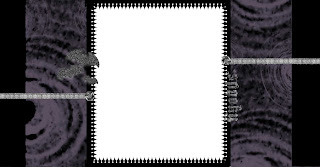
2-Column Blog Background
http://www.rhymereason.com/digitaldownloads/HauntedBlog2COL_BKGD.jpg
~or~
3-Column Blog Background
http://www.rhymereason.com/digitaldownloads/HauntedBlogBKGD.jpg
To use one of this blog background
for the first time, follow these steps:
1. The first time you use a blog background, you should set your blog template to 'Minima.' To do this, log in to to your blog and click on 'customize' in the top right corner.
2. Now that you're in the 'customize' screen, click on the 'Pick New Template' tab in the upper left part of the screen. Click on 'Minima.' (The first one there, not Minima Ochre, or Blue, just plain white Minima.) Then
save that template choice. (You won't have to do this every time you use add a blog background from my blog, just the first time.)
3. Next, click back onto the 'page elements' tab.
4. Click on 'add a gadget' (in the right column)
5. Then find the 'html/java script' option and click on that.
6. Copy and paste this code into the content:
<style>body {background-image: url(direct link); background-position: center; background-repeat: no-repeat; background-attachment: fixed; }</style>
7. Now, find your favorite background from my site, and copy and paste the link below it between the parenthesis where it says
(direct link) (make sure and leave the parentheses there. Just copy and paste the "direct link" text)
8. Click "save" and you're done!
To change your background just 'edit' the html/java script gadget that originally used to add the background and then change the
direct link like you did the first time. Voilá! It's finished!
~ Free ~ Creative Commons ~ By Attribution ~ Please consider adding a link to my blog wherever you post designs using any of my products. Available for download under a Creative Commons license.
I took the summer off but I'm ready and rarin' to go now. I just posted a new kit in my
Etsy store just in time for Halloween. I won't be updating this blog very often, but will still use it from time to time to post freebies. Please hop on over to my new blog and check it out:
Sorry it's been so long with no blog posts. Life just has a way of getting complicated and busy. I have decided to put this blog on hold for the time being as the demands of life, family and community have become too great to give additional time to this hobby. Hopefully things will calm down and I can come back to it in the future.